Parking permits
Secure Your Virtual Parking Pass
Navigating campus is simpler with virtual parking at WSU Vancouver. By utilizing License Plate Recognition technology, your vehicle license plate serves as your official permit, eliminating the need for physical stickers or office visits. Whether you are a student, faculty member, or visitor, the online portal allows you to manage your vehicle information and secure your parking status instantly.
Parking fees do more than maintain asphalt; they fund essential campus safety and convenience services. When you purchase a permit at WSU Vancouver, you support extra security patrols, emergency medical equipment maintenance, area lighting, and complimentary motorist assistance like jump starts and door unlocks.
Parking Options and Enforcement
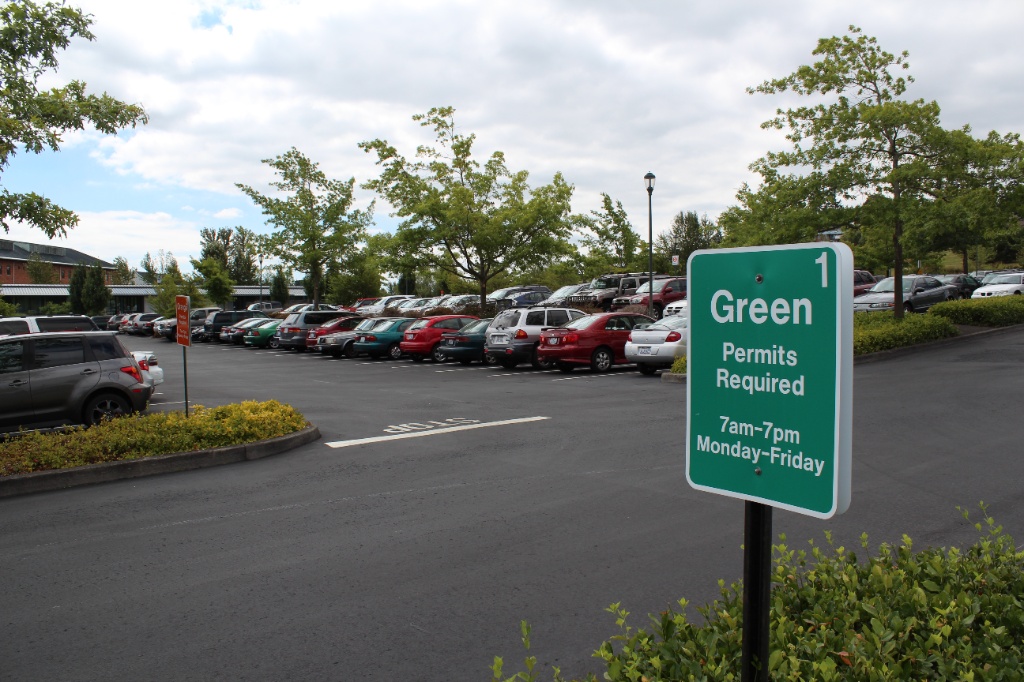
WSU Vancouver offers various parking tiers to meet different needs. Parking permits are required from 7 a.m. to 7 p.m. Monday through Friday year-round.
- Visitors: Explore short-term hourly and daily options on the Visitor Parking page.
- Long-Term: Annual and term-based permits are available for WSU and Clark College students.
- Events: Organizers can coordinate through the Event Parking—Good Host Program.
- Citations: You can pay or appeal a citation online.
Lot Color Hierarchy
Permit holders may park down in any lot color lower than their assigned permit. The hierarchy is as follows: Orange > Green > Red > Gray.
An Orange permit holder is authorized to park in Orange, Green, Red, or Gray lots.
Permit refunds
Prorated refunds are calculated by an annual prorate schedule. Parking permit refund requests are required to be submitted in writing to parkingservices@wsu.edu.
Parking permit refund policy
- Refund amounts due are less any outstanding amounts owed for unpaid parking citations or fees.
- No refunds will be given for permits purchased through pre-tax payroll deduction.
- Refunds on credit card transactions MUST be made to the card on record from the original purchase.
Account Management and Instructions
Your virtual permit allows you to assign up to two vehicles to your account, though only one may be on campus at a time.
For WSU Network ID Holders
Log in using your standard WSU credentials. This is the same login used for myWSU.
For Clark College and Non-WSU Users
Select the Clark College and Non-WSU login option to register a new account using your email address.
How to Manage Your Vehicles
- Log In: Access the Parking Services portal and authenticate your account.
- View Permits: Click Permits on the left sidebar and select View.
- Update Info: Modify vehicle details 24/7. This removes the need for temporary paper permits when driving a different vehicle.
Access or Update your Parking Profile
Starting fall 2025, your vehicle license plate will serve as your parking permit. Maximum of two license plates per permit, and only one vehicle is allowed on campus at any given time.
Contact Us
Fall Semester Hours
- Mon – Fri: 7:30am – 5:00pm
Besides parking maintenance and traffic management, parking fees pay for extra security patrol, AED maintenance, area lighting, door unlocks and jump starts, flag replacement, lost and found, and more.